Nowa strona
Komendę uruchamiamy jako Administrator w powershell ISE, z zainstalowanymi przystawkami RSAT - DNS.
### Pobieranie argumentu adresu serwera DNS ###
if ($args.Count -eq 2) {
    $DnsServer = $args[0]
    $SavePath = $args[1]
} else {
    # Jeśli uruchomiono w ISE lub bez argumentów, prosi o wpisanie ręcznie
    Write-Host "Uruchom skrypt poprzez ./NazwaSkryptu.ps1 AdresSerweraDNS ŚcieżkaDoPliku.txt bądź podaj je teraz: "
    $DnsServer = Read-Host "Podaj adres serwera DNS"
    $SavePath = Read-Host "Podaj ścieżkę do zapisu"
}

# Sprawdzenie czy podano ścieżkę do zapisu
if (-not $SavePath) {
    Write-Host "Nie podano ścieżki do zapisu. Skrypt zostanie przerwany." -ForegroundColor Red
    exit
}

# Pobranie stref DNS z serwera
$Zones = @(Get-DnsServerZone -ComputerName $DnsServer)

ForEach ($Zone in $Zones) {
    # Wypisywanie strefy do konsoli i pliku
    Write-Host "`n$($Zone.ZoneName)" -ForegroundColor "Green"
    "`n$($Zone.ZoneName)" | Out-File -Append -FilePath $SavePath

    # Pobranie rekordów DNS w strefie i zapis do pliku
    Get-DnsServerResourceRecord -ComputerName $DnsServer -ZoneName $Zone.ZoneName | Out-File -Append -FilePath $SavePath
}

Write-Host "Zapis zakończony. Dane znajdują się w: $SavePath" -ForegroundColor Cyan
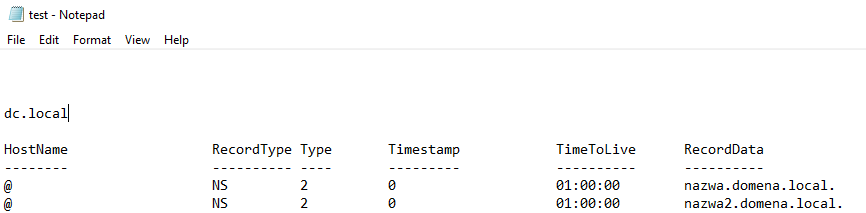
Przykładowe uruchomienie :